Author: anutio

  • How to Stay Motivated During Your Job Search in Canada – Anutio

    How to Stay Motivated During Your Job Search in Canada – Anutio

    Let’s be real! Searching for a job in Canada right now can feel like trying to win the lottery.

    You scroll endlessly through job boards, hit “apply” a hundred times, and then… silence. No callbacks. Or worse—those “we regret to inform you” emails that show up at 2 a.m. like digital heartbreaks.

    The job market in Canada has become increasingly competitive. In early 2024, the unemployment rate ticked up to 6.1%—a subtle but meaningful increase that has left more Canadians and newcomers battling for fewer open roles source.

    Add in AI-driven resume screening tools, outdated application systems, and lengthy hiring pipelines, and it’s easy to see why so many job seekers are mentally drained.

    But here’s the thing: motivation isn’t just about “staying positive.” It’s about working smarter, not harder.

    In this guide, we’ll explore actionable tips to stay motivated in your job search—even when the odds feel stacked.

    We’ll also show you how Anutio helps cut through the noise so your next opportunity doesn’t take forever to find.

    1. Why Job Searching in Canada Feels So Hard Right Now

    According to a recent Indeed Canada report, job postings fell 23% year-over-year by Q4 2023. The slowdown affected both entry-level and mid-career professionals, and sectors like tech, healthcare, and admin roles saw the highest applicant-per-job ratios.
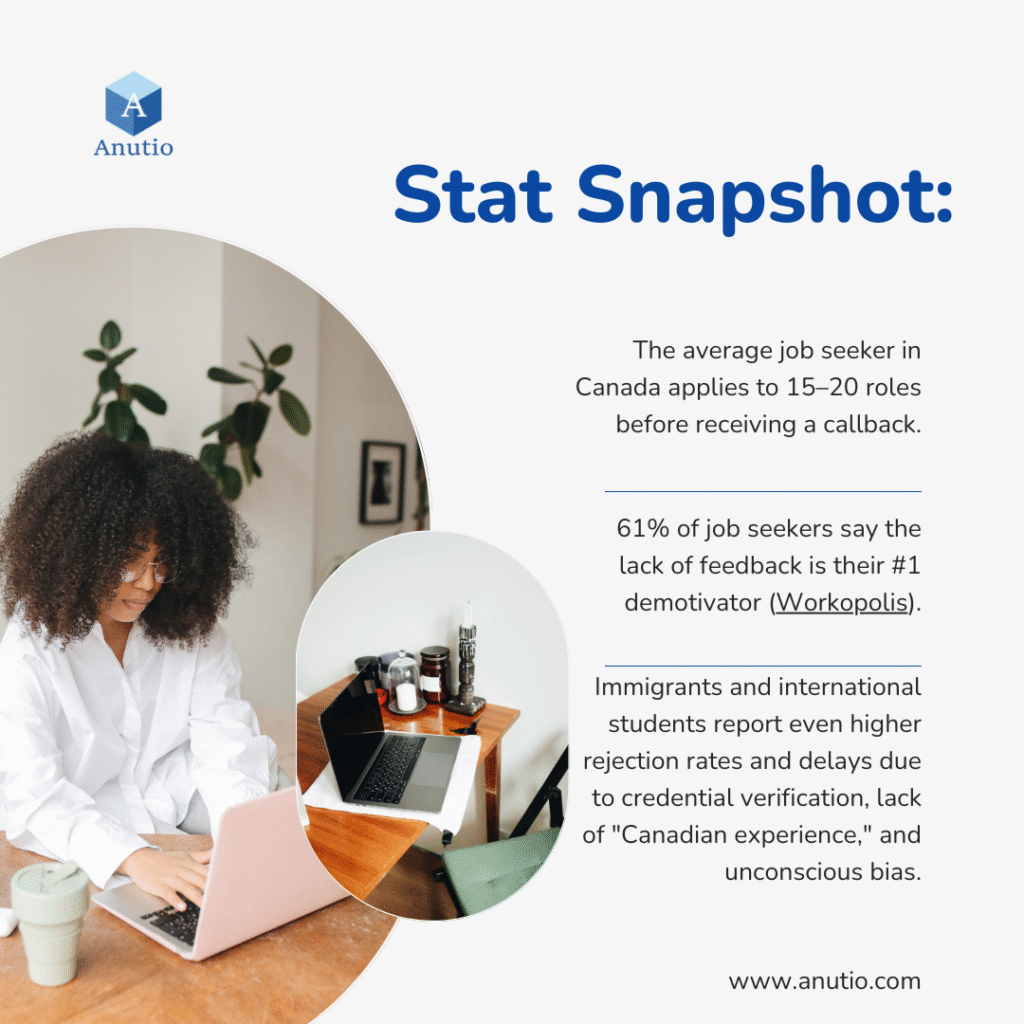
    When you’re consistently applying and getting ghosted, your self-worth starts to take a hit. The rejection doesn’t just sting—it lingers. And this leads us to the next big hurdle: mental burnout.

    2. Mental Fatigue: The Realest Job Hunting Struggle

    You’re waking up with the best intentions: “Today I’ll apply to 10 jobs!” But then you start, and suddenly your brain short-circuits. Every cover letter feels forced. Your resume feels invisible. You wonder, “Am I even good enough?”

    This is job search fatigue—and it’s very real.

    A LinkedIn study found that over 70% of job seekers experience some form of mental burnout. Add financial pressure, comparison on social media, and cultural challenges for newcomers, and motivation can nosedive.

    So let’s flip the script. Motivation isn’t just about feeling better. It’s about doing better—with strategy, rest, and the right tools.

    10 Practical Tips to Stay Motivated During Your Job Search

    Here’s how to keep your energy up, without burning out:

    1. Set Micro Goals, Not Mega Goals

    Break down your search into bite-sized tasks. Instead of “Apply to 20 jobs today,” try “Update LinkedIn headline,” or “Reach out to 2 contacts on Anutio.”

    Why it works: Micro-wins build momentum.

    2. Use a Job Tracker

    Organize applications using a Google Sheet, Notion, or even Anutio’s built-in job dashboard.

    Why it works: Tracking reduces overwhelm and shows progress you can actually see.

    3. Create a Realistic Daily Routine

    Avoid the “apply all day” trap. Dedicate 2 focused hours to job search, then switch to learning, networking, or personal care.

    Bonus: Try the Pomodoro Technique to stay fresh and focused.

    4. Practice the 10-10-10 Reframe

    Ask yourself: Will this rejection matter in 10 minutes, 10 days, or 10 months? It helps you keep perspective.

    5. Connect With a Support Circle

    Don’t job hunt in isolation. Join communities like Job Search Canada on Reddit, LinkedIn groups, or Anutio’s peer support spaces.

    People get it. And they’ve been where you are.

    6. Celebrate Every Win

    Get shortlisted? Got feedback? Had a recruiter view your profile? Celebrate it. Progress isn’t just offers—it’s visibility.

    Use this “waiting time” to upskill. Try free courses from Coursera, LinkedIn Learning, or workshops on Anutio tailored for Canadian employers.

    Statistics show that applicants with current digital skills are 38% more likely to get interviews.

    8. Clean Up Your Online Brand

    Recruiters will Google you. Make sure your LinkedIn is current, your resume matches, and your profile photo is professional.

    Pro Tip: Use Anutio’s AI Resume Match Checker and LinkedIn Audit to polish your presence.

    9. Practice Affirmations + Mindset Journaling

    Yes, really. Write down “I am valuable even if I’m not hired today” or “This is not a reflection of my worth.” Rewire the narrative.

    Try journaling on apps like Daylio or Reflectly, or just grab a notebook.

    10. Rest Without Guilt

    Burnout kills momentum. Take breaks. Binge Netflix. Sleep in. You’re not lazy—you’re recharging.

    Motivation grows when you’re rested, not when you’re hustling 24/7.

    How Anutio Helps You Stay Focused and Find Better Jobs

    At Anutio, we get it. That’s why our platform is designed to make your search less overwhelming—and more targeted. Here’s how we support job seekers like you:

    Smart Job Matching

    No more one-size-fits-all listings. Anutio filters jobs based on your skills, preferences, and goals—so you apply smarter.

    Resume & LinkedIn Review Tools

    Use our AI-based resume matcher to see how your CV stacks up against real Canadian job descriptions.

    Upskill with Confidence

    Access curated learning tracks based on trending roles in Canada: from digital marketing to data analytics, project management, and customer support.

    Community + Support Groups

    Join circles of job seekers and mentors who understand your journey. Exchange tips, referrals, and emotional support.

    👉 Learn more about how Anutio works here.

    You’re Allowed to Rest and Still Succeed

    Job searching isn’t just about getting a job. It’s about navigating the maze without losing yourself in the process.

    You’re not lazy. You’re not behind. You’re someone trying—daily—to build a better life, often in a new country or a new career path. That takes guts. So if no one has told you this today: you’re doing enough.

    Stay kind to yourself. Use tools that actually support you. And remember—your next opportunity is not just about chance. It’s about clarity, confidence, and community. Let Anutio be a part of that.

    FAQs

    Q: How long does it typically take to land a job in Canada?
    A: On average, 3 to 6 months. This varies by industry, credentials, and region.

    Q: What’s the best time to apply for jobs in Canada?
    A: January to March and September to October are peak hiring seasons.

    Q: Can I apply to jobs without “Canadian experience”?
    A: Yes. Focus on transferable skills, Canadian-style resumes, and networking.

    Q: Does Anutio offer resume writing help?
    A: Absolutely! You can access AI-enhanced resume builders and book 1-on-1 resume clinics.

  • Top Interview Questions to Identify a Great Boss

    Top Interview Questions to Identify a Great Boss

    “Do you have any questions,” the interviewer asked you and you said no. You shouldn’t have. That was the perfect moment to know what you were signing up for. A  moment to get yourself a great boss. 

    When it comes to job satisfaction, the relationship you have with your boss can make all the difference.

    A great boss not only influences your daily work life but also shapes the overall workplace environment.

    According to a Gallup study, companies with engaged employees outperform those without by 202%. This statistic underscores the importance of identifying a great boss during the interview process.

    Why Leadership Matters

    Effective leadership fosters a positive workplace culture, enhances team dynamics, and encourages open communication.

    When you have a boss who embodies strong leadership qualities, it creates an atmosphere of trust and respect. As you prepare for your next job interview, keep in mind that asking the right questions can help you gauge if a potential boss will be a good fit for you.


    Key Traits of a Great Boss: What to Look For During an Interview

    To ensure you find a boss who will support your growth and happiness at work, look for these essential traits:

    • Strong Communication Skills: A great boss communicates clearly and effectively. They are approachable and encourage open dialogue. According to Centre for Creative Leadership, effective communication is one of the top skills that leaders must possess.
    • Emotional Intelligence: This trait allows a boss to understand and manage their own emotions while also being empathetic to their employees’ feelings. Research from Harvard Business Review shows that empathy is a key factor in successful leadership.
    • Supportiveness: A supportive boss will advocate for their team and provide the resources needed for success. A survey by LinkedIn found that 69% of employees say they would work harder if they were better recognized.
    • Vision and Strategy: A great boss has a clear vision for the team and can inspire others to work towards common goals. According to McKinsey, leaders with a strong vision are more likely to achieve their objectives.

    Essential Interview Questions to Assess Leadership Style and Philosophy

    When interviewing for a new position, consider asking these questions to uncover your potential boss’s leadership style:

    1. Can you describe your leadership style?
      • This question helps you understand if they lean towards being more authoritative, democratic, or laissez-faire.
    2. How do you handle conflicts within the team?
      • Their approach to conflict resolution can reveal their management philosophy and how they prioritize team harmony.
    3. What do you believe is the most important role of a manager?
      • This question can help you gauge their priorities—whether they focus on results, team development, or something else.
    4. How do you encourage team collaboration?
      • A great boss will have strategies in place to foster teamwork and collaboration. Check out this Forbes article for tips on fostering team collaboration.

    Questions That Reveal How a Boss Supports Employee Growth and Development

    A significant aspect of a good boss is their commitment to employee development. Here are some questions to help you evaluate how they support growth:

    1. What opportunities for professional development do you offer?
      • This shows whether the company invests in its employees’ growth.
    2. What training opportunities do you think are essential for success in this role?
      • A great boss will have a clear understanding of the skills needed for

    Evaluating Work-Life Balance Through Your Potential Boss’s Responses

    Work-life balance is crucial for long-term job satisfaction and overall well-being. Here are some questions to assess how your potential boss views this balance:

    1. How do you encourage work-life balance within your team?
      • Their answer will reflect the company culture and their management style.
    2. Do you encourage flexible working arrangements?
      • Understanding their stance on flexibility can indicate how much they value employee well-being.
    3. What measures do you take to prevent burnout among your team members?
      • This question can reveal how proactive they are in ensuring a healthy work environment. According to the World Health Organization, burnout is a serious issue that can lead to decreased productivity and increased turnover rates.

    The Role of Company Values: Aligning with Your Future Boss’s Vision

    Understanding the alignment between your values and those of your potential boss is crucial for job satisfaction. Consider asking:

    1. What company values are most important to you?
      • This question can help you understand their priorities and whether they align with yours.
    2. How do you ensure that your team embodies the company’s mission?
      • Their response will indicate how they integrate values into daily operations. Leaders who align their teams with the company mission often see higher engagement levels.
    3. How do you handle situations when team members do not align with company values?
      • Understanding their approach to misalignment can provide insight into their leadership style and commitment to maintaining a positive culture.

    Finding a great boss is essential for your career satisfaction and growth. By asking insightful questions during your interview, you can better assess whether a potential leader aligns with your values and expectations. Remember, it’s not just about finding a job; it’s about finding a workplace where you can thrive.

    Final Tips:

    • Do Your Research: Before the interview, research the company’s culture and values. Websites like Glassdoor can provide insights from current and former employees.
    • Trust Your Instincts: Pay attention to how the potential boss responds to your questions. Their demeanor and enthusiasm can tell you a lot about their leadership style.
    • Follow Up: After the interview, consider sending a thank-you note. This can also be an opportunity to reiterate your interest and ask any follow-up questions that may arise.

    By taking the time to ask the right questions, you can empower yourself to find a boss who not only supports your career aspirations but also contributes to a positive work environment.

    Good luck with your job search!

  • Top Operational Tools Every Entrepreneur Needs for Successful Meetings

    Top Operational Tools Every Entrepreneur Needs for Successful Meetings

    Effective meetings are crucial for driving progress and fostering collaboration in entrepreneurship. Whether you’re brainstorming new ideas, strategizing for growth, or tackling challenges, how you conduct your meetings can significantly influence your team’s productivity and morale.

    And to get better results from your meetings, there are tools you need to explore. These tools are essential operational tools that can transform your meetings from mundane to meaningful.

    By leveraging these tools, you can enhance communication, streamline workflows, and ensure that everyone is aligned on goals.

    1. Project Management Softwares

    As an entrepreneur, you likely juggle multiple projects and tasks daily. This is where project management software becomes your best friend. Tools like Trello, Asana, and ClickUp are designed to help teams stay organized and on track.

    They allow you to assign tasks, set deadlines, and monitor progress, ensuring that everyone knows their responsibilities.

    Scenario

    Imagine you’re launching a new product. With a project management tool, you can create a board that outlines every step of the process, from market research to marketing strategy.

    Team members can comment on tasks, upload files, and update their progress, making it easier to collaborate and stay aligned.

    You can even integrate these tools with other software like Slack or Google Drive to further streamline communication.

    Benefits of Using Project Management Software

    • Enhanced Collaboration: Keep everyone in the loop and encourage teamwork.
    • Improved Accountability: Clearly defined roles and tasks help prevent misunderstandings.
    • Increased Efficiency: Save time by centralizing communication and task management.

    Additional Examples of Project Management Software

    • Monday.com: A versatile platform that allows you to customize workflows and visualize project timelines.
    • Basecamp: Great for teams that prefer a simple interface, it combines to-do lists, file sharing, and messaging in one place.
    • Wrike: Offers advanced features like Gantt charts and time tracking, suitable for larger teams with complex projects.

    2. Video Conferencing Tool to Connect Teams Remotely

    With remote work becoming the norm, effective communication is more important than ever.

    Video conferencing tools like Zoom, Microsoft Teams, and Google Meet enable you to connect with your team, no matter where they are.

    These platforms offer features like screen sharing, breakout rooms, and recording options, making virtual meetings feel more engaging and productive.

    Scenario

    Let’s say you’re hosting a weekly team check-in. Instead of a boring conference call, you can use Zoom to create a more interactive experience.

    You can share your screen to present updates, use breakout rooms for smaller group discussions, and even record the session for team members who can’t attend live. This way, everyone stays informed and involved.

    Advantages of Video Conferencing Tools

    • Flexibility: Connect with team members across different time zones and locations.
    • Engagement: Visual interaction fosters better communication and reduces misunderstandings.
    • Cost-Effective: Save on travel expenses while maintaining face-to-face interaction.

    Additional Examples of Video Conferencing Tools

    • Cisco Webex: Known for its robust security features, ideal for companies that prioritize data protection.
    • Skype: A classic choice for smaller teams, offering video calls and instant messaging in one platform.
    • BlueJeans: Provides high-quality video and audio, with features tailored for larger meetings and events.

    3. Note-Taking Applications: Capturing Ideas and Action Items

    During meetings, it’s easy to get caught up in discussions and forget important points. That’s where note-taking applications like Evernote, Notion, and Microsoft OneNote come into play. These tools allow you to capture ideas, jot down action items, and organize your notes efficiently.

    Scenario

    During a brainstorming session, your team generates a wealth of ideas. With a note-taking app, you can quickly document these ideas and categorize them for future reference.

    You can even share your notes with team members, ensuring everyone is on the same page regarding action items and follow-ups.

    Benefits of Using Note-Taking Applications

    • Easy Organization: Keep your notes structured and searchable.
    • Collaboration: Share notes with your team for collective input and updates.
    • Accessibility: Access your notes from any device, anytime.

    Additional Examples of Note-Taking Applications

    • Google Keep: A simple, easy-to-use tool that integrates seamlessly with Google Workspace for quick notes and reminders.
    • Bear: A beautiful note-taking app for Apple users, offering rich formatting options and a tagging system for organization.
    • Notability: Especially useful for iPad users, it allows handwritten notes and audio recordings to enhance the note-taking experience.

    4. Scheduling Tools: Streamlining Meeting Coordination

    Coordinating meetings can often feel like herding cats, especially when team members have different schedules.

    Scheduling tools like Calendly, Doodle, and Acuity Scheduling can simplify this process. These apps allow you to share your availability and let participants choose a time that works for everyone,

    Scenario

    Imagine you’re trying to organize a strategy session with your marketing team and a few external consultants.

    Instead of sending multiple emails to find a suitable time, you can create a scheduling link using Calendly.

    You simply set your available time slots, share the link with your team and consultants, and they can pick a time that works for them. Once everyone has chosen their slot, the meeting is automatically added to your calendar.

    Benefits of Using Scheduling Tools

    • Time-Saving: Eliminate the hassle of back-and-forth emails to find a suitable meeting time.
    • Increased Efficiency: Automatically sync with your calendar (Google Calendar, Outlook, etc.) and set reminders.
    • Professional Appearance: Using a scheduling tool can enhance your professionalism and organization in front of clients and partners.

    Additional Examples of Scheduling Tools

    • Google Calendar: Not only does it allow you to schedule meetings, but you can also create events, set reminders, and share your calendar with others.
    • Microsoft Outlook Calendar: Ideal for businesses already using Microsoft products, this tool integrates seamlessly with email and task management.
    • TimeTrade: Focused on appointment scheduling, TimeTrade is particularly useful for businesses that need to manage customer appointments.
    • SimplyBook.me: This tool is great for service-based businesses, allowing clients to book appointments directly based on your availability.

    5. Feedback and Survey Tools for Gathering Insights Post-Meeting

    After a meeting, gathering feedback is essential to understand what went well and what can be improved.

    Feedback and survey tools help you collect insights from your team and participants, enabling you to enhance future meetings.

    Tools like SurveyMonkey, Typeform, and Google Forms are excellent options for creating feedback forms tailored to your needs.

    Scenario

    Let’s say you just concluded a major strategy meeting. To assess its effectiveness, you can send out a quick survey using SurveyMonkey.

    You can ask questions like, “What did you find most valuable in today’s meeting?” and “What improvements would you suggest for future meetings?” This feedback will help you refine your meeting structure and ensure that everyone feels heard.

    Benefits of Using Feedback and Survey Tools

    • Actionable Insights: Gather specific feedback that can lead to actionable changes in your meeting processes.
    • Increased Engagement: When team members know their opinions matter, they are more likely to engage actively in future meetings.
    • Data-Driven Decisions: Analyze the feedback to make informed decisions about your meeting formats and topics.

    Additional Examples of Feedback and Survey Tools

    • Qualtrics: A powerful survey tool that offers advanced analytics and reporting features, perfect for larger organizations.
    • Microsoft Forms: Integrated with the Microsoft ecosystem, this tool allows you to create surveys and quizzes easily.
    • Zoho Survey: A user-friendly survey tool that offers customizable templates and real-time reporting.
    • Typeform: Known for its engaging and interactive surveys, Typeform can help you gather feedback in a more user-friendly way.

    As an entrepreneur, investing in these tools not only saves time but also fosters a culture of collaboration and continuous improvement within your team.

    By leveraging technology, you can transform your meetings into powerful sessions that push your business forward.

  • 5 Best Tips for Avoiding Falling for Ghost Jobs

    5 Best Tips for Avoiding Falling for Ghost Jobs

    You applied for over 20 jobs yet your inbox is still scanty. No one is reaching out. No good nor bad news and you are wondering what could have gone wrong.

    A lot could have happened but we believe there’s a new culprit. “GHOST JOBS.”

    In 2022, studies by Indeed showed that nearly 40% of job seekers reported feeling ghosted after applying for positions, and many were left wondering if their applications were ever even seen.

    This unsettling trend has given rise to a phenomenon known as “ghost jobs.”

    In this blog, we’ll review what ghost jobs are, how to identify them, and most importantly, how to avoid wasting your time on these non-existent opportunities.

    Understanding ghost jobs can help you avoid time wastage and you get better access to genuine opportunities that align with your career goals.

    What Are Ghost Jobs?

    Ghost jobs are job postings that companies advertise but have no intention of filling. These listings often serve as a strategy to create a false sense of urgency among current employees, making them feel as though they could be replaced at any moment.

    This tactic can push employees to work harder, but it leaves job seekers feeling frustrated. According to a survey by the Harvard Business School40% of companies reported that they had posted ghost job at some point.

    The Reasons Behind Ghost Jobs and Why Companies Post Them

    There are several reasons why companies engage in the practice of posting this job. This could

    1. Talent Pool Building: Companies may want to maintain an active line of potential candidates for future openings, even if they don’t have immediate vacancies.
    2. Market Research: By posting jobs, companies can gauge interest in certain roles or skills, helping them to understand market demand.
    3. Employee Pressure: Some organizations post ghost jobs to motivate existing employees, creating an atmosphere of competition and urgency.
    4. Branding: Maintaining a robust job listing can enhance a company’s image as an employer, even if they aren’t actively hiring.

    And 70% of companies have voted that posting ghost jobs is morally acceptable.

    Identifying Ghost Job Advertisements

    By learning to recognize these job postings, you can focus on opportunities that are genuine and attainable. Here are some techniques to help you spot ghost jobs.

    Key Indicators of Ghost Jobs

    1. Vague Job Descriptions: If a job listing lacks specific responsibilities or qualifications, it may be a ghost job.
    2. Unrealistic Requirements: Listings that ask for an excessive number of qualifications for entry-level positions are often suspect.
    3. No Clear Application Process: If the application process is convoluted or unclear, it may be a red flag.
    4. Frequent Reposting: If you notice the same job being reposted frequently without any updates, it could indicate that the position is not actively being filled.
    5. Lack of Company Information: Ghost job postings often provide minimal information about the company, making it difficult for candidates to research.

    5 Tips to Avoid Registering for Ghost Jobs

    When you’re on the hunt for your next career opportunity, it’s essential to protect your time and energy. Here are some tips to help you avoid ghost jobs:

    1. Research the Company: Investigate the company’s reputation on platforms like Glassdoor and LinkedIn. Look for reviews from current and former employees.
    2. Network: Reach out to people in your industry to ask about the company. They may provide insights that aren’t available through job postings.
    3. Follow Up: After applying, consider following up with the company to gauge interest. If you receive no response, it may be a ghost job.
    4. Trust Your Instincts: If a job posting feels off, it probably is. Trust your gut when it comes to job applications.

    Staying Informed Can Help You

    Stay informed on what’s going on in the industries where you are job seeking by subscribing to industry newsletters, following job market trends, and engaging with professional communities.

    Moreover, consider leveraging resources like JobviteIndeed and the Anutio Newsletter to keep up with the latest hiring trends and practices.

    These platforms often provide valuable data and statistics that can help you make informed decisions about where to apply.

    Additionally, consider joining forums or groups on social media platforms like LinkedIn or Facebook.

    Engaging with other job seekers can provide you with tips and experiences that can help you move through the job market more effectively.

  • Top 10 Tips for Starting Out on LinkedIn and Attracting Well-Paying Employers

    Top 10 Tips for Starting Out on LinkedIn and Attracting Well-Paying Employers

    It’s absolutely not compulsory to have a LinkedIn account and why would you want to join this boring community of fake professionals with big titles?

    This is the thought you might currently have and the reason you’re still hesitating about joining LinkedIn, but you noticed that when you applied to some jobs this year, they asked for your LinkedIn profile link.

    So, here’s the question. Will you continue to be biased about LinkedIn, or will you turn it to your advantage and land a well-paid job?

    While you’re still meditating on that, let’s quickly draw a draft on why you should get started on LinkedIn.

    Understanding the Importance of LinkedIn for Career Growth

    One of the many reasons people join LinkedIn is because LinkedIn is the platform where you find jobs but sadly many people drop out of the game when they don’t get the job.

    What was wrong? What did they get wrong or were the people who said they got a job just lying?

    Our answer: They did not understand what LinkedIn is about and all they need do is go in there and learn the workings of it.

    This is similar to how people are experiencing great career growth on Fiverr and Upwork and others can’t seem to get past just creating a gig with no success.

    So how is LinkedIn important and what are you yet to understand?

    LinkedIn is a platform you want to hold tight on your professional journey. It is not just a social media platform but a tool for connecting to several other professionals who share the same interests as you.

    The relationships you form on LinkedIn go beyond just sending connection requests, you have to reach out to those people with a message, engage their posts, make valuable content and participate in discussions to make your presence known.

    You don’t just create an account, apply for jobs and wait for a miracle to happen. On LinkedIn, there is a demand for you to show the practical workings of what experiences you’ve been through.

    Career Development Opportunities on LinkedIn

    Apart from connecting on LinkedIn, there are several resources for career development, from courses to articles from industry. So, it is your chance to grow your skills and everything will reflect on your profile.

    On LinkedIn, people who you’ve worked with can also endorse your skills and recommend you for opportunities, thereby, increasing your credibility whenever an employer comes across your profile.

    Many employers use LinkedIn as a primary recruitment platform where they post jobs and search for qualified candidates. In this case, optimizing your profile with relevant keywords will help you get found among the sea of people who are also vying for your role of interest.

    Why LinkedIn?

    Making your LinkedIn profile developed will help you:

    Get seen by recruiters

    Connect with industry professionals, alumni, and thought leaders and have a rich network.

    Gain access to valuable resources, articles, webinars, online courses, free learning resources shared by other professionals, job postings, company insights and you get to apply for many jobs with one click.

    Build a personal brand.

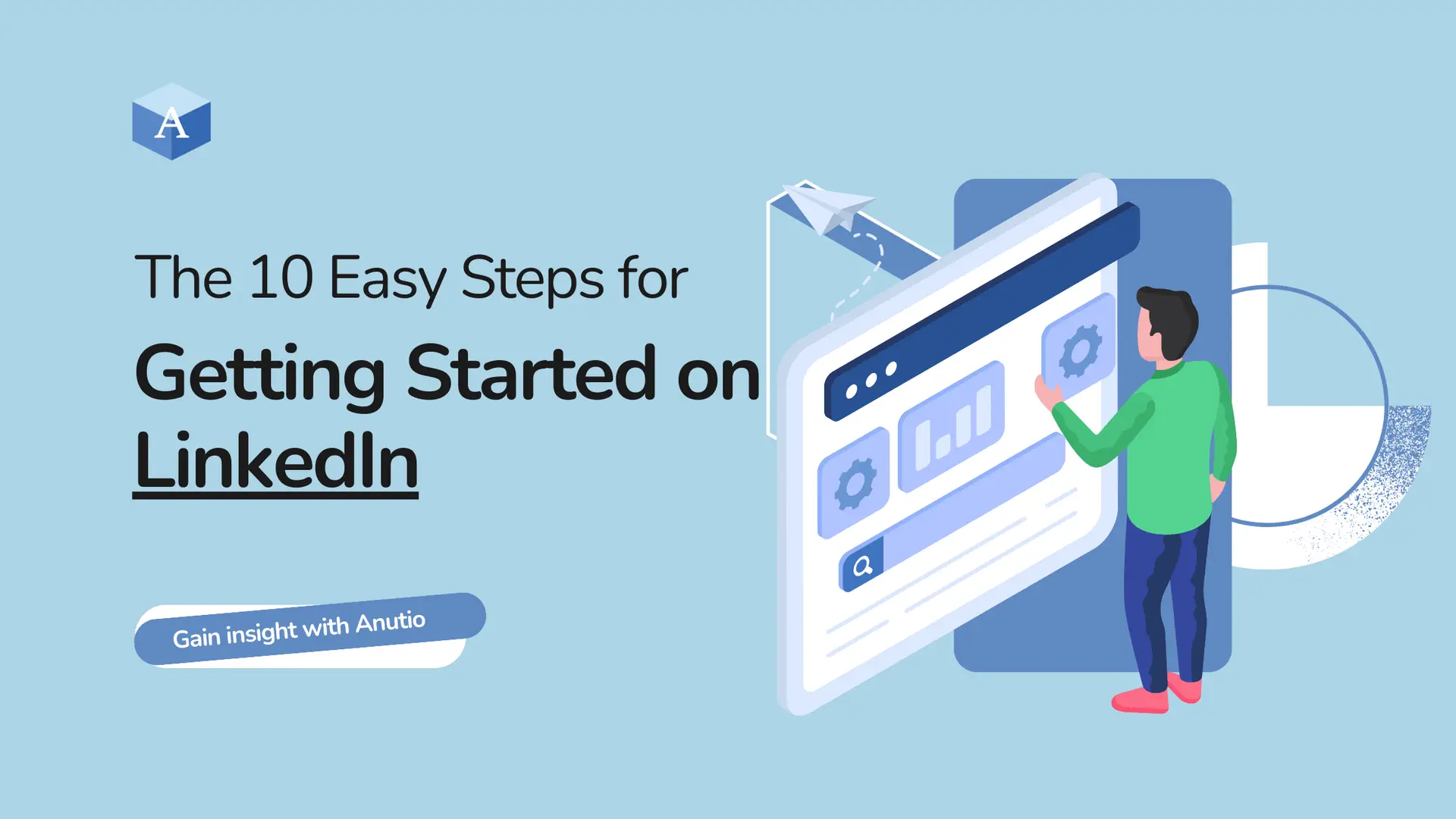
    The 10 Easy Steps for Getting Started on LinkedIn

    You finally decided to take that step and own the process. Congrats. Now how do you start this tough journey of becoming visible and managing your career growth with the help of LinkedIn.

    Here are the top 10 tips to help you get started on LinkedIn and make the most of its benefits:

    1. Complete Your Profile

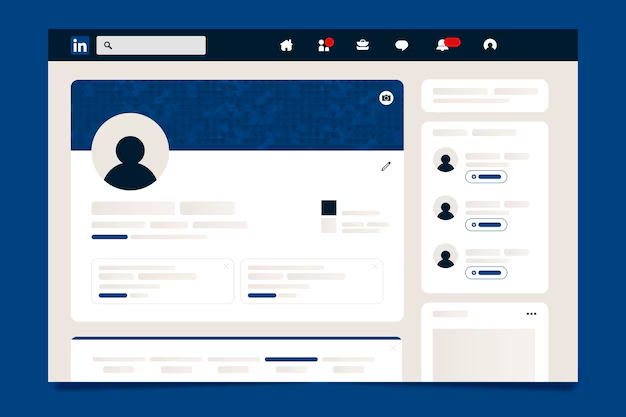
    If you’ve not created an account yet, visit www.linkedin.com to do that. Do the necessary verifications, admire the dashboard and start working on completing your profile.

    This is a very important step because this ensures that you make a good impression on potential employers. Here are a few tips to help you complete your profile:

    • Use a professional profile picture: A high-quality profile picture helps you look like you know what you’re doing. One thing you don’t want to look like on LinkedIn is “clueless”.

    LinkedIn says your profile picture should be at least 400 x 400 pixels and at most 4320 x 7680 pixels. File size of 8 mb at the most and the format should be PNG, JPG and GIF.

    • Write a compelling headline: Your headline should clearly state your profession, industry, or job title.

    Your headline should be a brief summary of what you do (emphasis on brief). Don’t write an article in your headline.

    • Optimize your summary: If you are familiar with the term SEO and how it makes works that use the right keywords visible then you should be working on that for your LinkedIn profile.

    Go to search and type in the title of your role or job title, go through the first 10 and check what made them come up in the top 10.

    What did they write on their profile that makes them seen by the recruiter? What if the recruiter doesn’t want to move past that first page?

    Take note of these.

    Also, write about yourself and your experience in the summary and don’t forget your keywords here. Add in your experience and educational background.

    • Update the experiences and education section: Take it as you filling in your CV or Resume with all the details of when you started a job and finished it or when you started school and graduated.

    2. Join Relevant Groups

    Another advantage of being on LinkedIn is the connection and news you get from the groups. Search for groups relevant to your industry and there you can ask questions, answer questions, connect with others in your industry, stay informed about industry trends, and establish yourself as a thought leader.

    3. Connect with Others

    Connecting with others on LinkedIn is the start of a great series of opportunities. You just never know where your career might start growing from.

    Here are a few tips to help you get started:

    • Find people to connect with: Use the search bar to find people to connect with, such as colleagues, industry leaders, or potential employers.
    • Personalize your connection requests: Personalize your connection requests by mentioning how you know the person or why you want to connect with them and request that they connect with you.
    • Engage with others’ content: Engage with others’ content by commenting, liking, or sharing their posts.

    4. Share Valuable Content

    Don’t just be on LinkedIn, share something.

    There’s this popular question of, “what do I post?” That is one of the things that discourage many people from taking the wiles of LinkedIn.

    But we have them narrowed down in this post. Here are a few ideas on what kind of content you can share on LinkedIn:

    • Share industry news and trends: Share industry news and trends to demonstrate your knowledge and expertise.
    • Share your story: Behind the scenes, stories of your experience, what people can relate to and learn from.
    • Share your own content: Share your own content, such as blog posts, articles, or videos, to showcase your skills and expertise.
    • Use relevant hashtags: Use relevant hashtags to make your content more discoverable.
    • Source images for your post: Your images should make people want to open your post and read more. You can design a simple image on Canva or source of any interesting stock image on the net or use a professional image of yourself.

    5. Using the LinkedIn’s Job Search Feature

    The LinkedIn job search feature you can find job openings, you just need to filter by location, industry, and experience level, and apply directly through the platform.

    6. Let LinkedIn’s Messaging Feature Work for You

    Use personalized messages to connect with others, and build relationships. With the right keywords you can make your messages more discoverable.

    Also, don’t forget to follow up with others to build relationships and establish your professional network.

    7. Get Recommendations

    Recommendations are a way to establish credibility on LinkedIn. They represent several people vouching for your professionalism and experience to potential employers on LinkedIn.

    How do you go about this?

    • Request for recommendations: Ask for recommendations from colleagues, managers, or clients.
    • Provide value: Provide value to others, and they will be more likely to recommend you.
    • Showcase your recommendations: Showcase your recommendations on your profile to establish credibility and attract well-paying employers.

    8. Utilize LinkedIn’s Learning Platform

    With LinkedIn learning you can upskill, reskill, and enhance your career prospects.

    • Find relevant courses: Find relevant courses that match your skills and experience.
    • Take online courses: Take online courses to upskill, reskill, and enhance your career prospects.
    • Earn certificates: Earn certificates to demonstrate your knowledge and expertise. these certificates can be showcase on your profile.

    9. Attend LinkedIn Events

    On LinkedIn, you can randomly enter a live video or audio webinar that is all about your field and could help you find your feet. Through these events, you can connect with others, build relationships, and attract well-paying employers.

    Here are a few steps to harnessing events on LinkedIn:

    • Find relevant events: Find relevant events that match your industry or profession.
    • Attend events: Attend events to connect with others, build relationships, and establish your professional network.
    • Follow up: Follow up with others to build relationships and establish your professional network.

    10. Monitor Your Online Presence

    LinkedIn has its inbuilt metric system (analytic tool) which helps you track who has engaged with your posts or has viewed your page. Monitoring these metrics helps you establish a strong professional brand and this way you are well on your way to building your career prospects. Here are a few tips to help you get started:

    Other Platforms that offer you a professional profile and career opportunities

    Though LinkedIn is the more popular one, there are other platforms where you can showcase your professional experience, connect with other professionals and get job opportunities.

    Here are some alternatives to consider:

    Anutio

    Anutio is a career development platform offering several resources to make you ALL YOU CAN BE in your career journey.

    Anutio offers a range of tools and resources to help individuals have a professional profile, bridge the gap in their resume, capture their achievements, participate in career competitions, land 1:1 expert mentorship sessions and build or join professional groups.

    On the Anutio Career Mapping tool you can upload your Resume to get predictions on how well that resume might do for a job by showing you the missing skills you should add to your resume as well as similar job roles to apply to.

    Anutio can help you take control of your career.

    AngelList:

    If you’re interested in the startup ecosystem, this platform is for you. AngelList helps connects professionals and job seekers with startup companies and job opportunities.

    This platform is more popular for people in tech. AngelList is a marketplace for startups to raise capital and hire talent. Startups get to showcase their ideas to potential investors and job seekers.

    Xing

    Xing is a professional networking platform that is popular in Europe. It allows you to connect with others, share content, and find job opportunities.

    Xing is a professional networking platform similar to LinkedIn, but it is particularly popular in German-speaking countries such as Germany, Austria, and Switzerland. Xing focuses on connecting professionals and building career development, networking, and job opportunities within these regions. 

    Here, you can work on your profile and connect to people. You can also send connection requests and views the job board for well-paid jobs. You can also access events, learning resources and industry trends on Xing.

    As you job search, make the most of platforms that could connect you the best clients you’ve ever met.

    They help you become visible, you also gain a vast network, easily find opportunities and your brand becomes more solid with an active audience which could include your potential client.

    Do more in your career journey by visiting www.anutio.com or download our app on play store or App Store.

    What should you do when you log in to Anutio for the first time?

    Upload your resume

    Capture achievements

    Watch our space for events that build your career prospects to become tangible.